BETAFPV FPV Drones: A Beginner-Friendly Buying Guide
Disclosure: This article contains affiliate links. If you buy through these links, we may earn a commission at no extra cost to you.
FPV flying puts you in the pilot's seat with a live camera view from the aircraft. Whether you want a compact indoor whoop, an outdoor freestyle platform, or a complete ready-to-fly package, BETAFPV offers drones, radio controllers, goggles, cameras, motors, and digital video components for different experience levels.
Why BETAFPV Is Popular With FPV Pilots
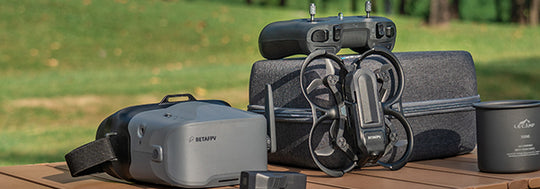
BETAFPV is best known for compact cinewhoops and micro FPV equipment. Its catalog covers complete beginner kits as well as separate components for pilots who prefer to build, repair, or upgrade their setup. The range makes it easier to start with a complete system and replace individual parts as your skills improve.
- Beginner-friendly kits: Bundled drones, goggles, and radio transmitters reduce compatibility guesswork.
- Compact whoop drones: Protected propellers and lightweight frames suit indoor practice and close-range flying.
- Upgrade options: Cameras, motors, receivers, frames, and accessories are available separately.
- Analog and digital choices: Pilots can choose equipment that matches their preferred video ecosystem.
1. Ready-to-Fly FPV Kits for Beginners
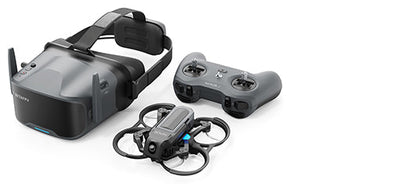
A ready-to-fly kit is usually the simplest entry point. A typical package combines a preconfigured drone, compatible radio transmitter, FPV goggles, batteries, charging equipment, and essential accessories. This lets a new pilot focus on basic throttle control, turning, landing, and camera orientation instead of sourcing every component separately.
Before buying, check the product page for the included battery count, charger type, video system, receiver protocol, and recommended flying environment.
2. Air Whoop Drones
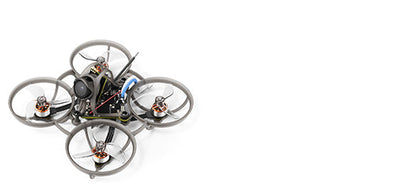
Air Whoop models focus on low weight and responsive handling. Their ducted propeller layout helps protect the propellers during light contact with walls or furniture, making this style useful for indoor sessions and controlled practice spaces. Experienced pilots also use lightweight whoops for fast technical flying.
3. Meteor Whoop Series
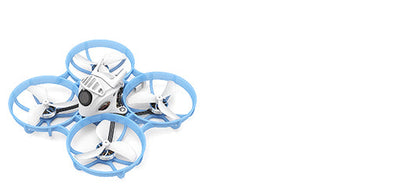
The Meteor family is aimed at pilots looking for compact, durable everyday whoops. Different versions may vary by frame size, battery voltage, receiver protocol, camera, and video transmitter. Compare the exact specifications with your current goggles and radio before ordering.
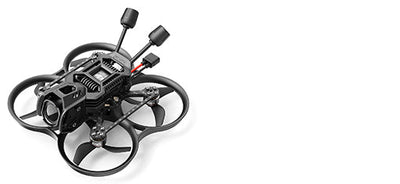
4. Pavo Cinewhoops
Pavo cinewhoops use protected propellers and a compact frame designed for smooth, close-range video flying. Depending on the model and setup, they can be suitable for indoor cinematic paths, outdoor cruising, or carrying a lightweight action camera. Always confirm the supported video unit and recommended battery before purchase.
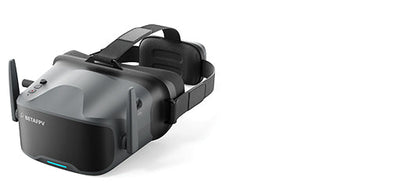
5. FPV Goggles
Goggles receive the live video feed from the drone. Comfort, screen clarity, receiver compatibility, antenna configuration, recording support, and battery life all affect the experience. The most important step is matching the goggles to the drone's analog or digital video system.
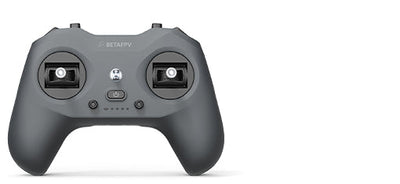
6. Radio Transmitters and Receivers
The radio controller sends your stick inputs to the drone. The receiver installed in the aircraft must use a compatible protocol. When comparing products, check protocol, frequency, firmware support, ergonomics, battery requirements, and whether the controller can connect to a simulator for practice.
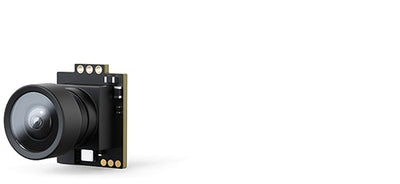
7. FPV Cameras
A compact FPV camera gives the pilot a real-time view while flying. Important considerations include image format, latency, low-light performance, mounting dimensions, weight, lens angle, and compatibility with the video transmitter or digital video unit.
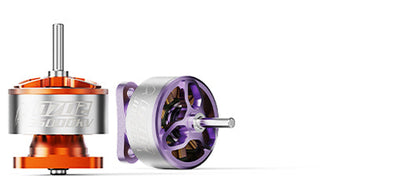
8. Motors and Replacement Parts
Motors strongly influence thrust, efficiency, flight time, and handling. A replacement motor should match the model's mounting pattern, shaft, connector, voltage range, and recommended propeller. Using the manufacturer's specifications is safer than choosing by appearance alone.
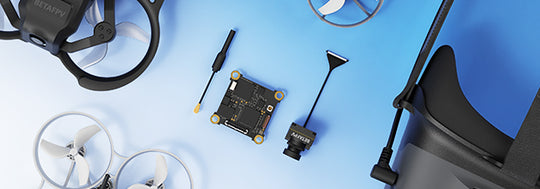
9. Digital Video Components and Accessories
Digital FPV components can deliver a clear, immersive video feed, but the camera, video unit, antennas, goggles, mounting space, and power requirements must work together. Review every compatibility note on the product page before combining components from different systems.
How to Choose the Right BETAFPV Setup
- Choose your use case: Indoor learning, outdoor freestyle, cinematic cruising, or component upgrades.
- Confirm the video system: Analog and digital equipment are not automatically interchangeable.
- Match the radio protocol: The transmitter and receiver must be compatible.
- Check battery requirements: Verify cell count, connector type, capacity, and charger support.
- Review what is included: Some listings are complete kits, while others contain only the drone or one component.
- Follow local rules: Fly only where permitted and follow applicable safety and aviation regulations.
Final Thoughts
BETAFPV provides a broad route into FPV, from complete ready-to-fly kits to lightweight whoops and individual upgrade parts. Beginners can reduce setup complexity with a bundled kit, while experienced pilots can compare specialized drones and components for a custom build.
Prices, availability, specifications, shipping terms, and promotions can change. Review the current product listing before completing your order.